CI/CD test reporting
Test reportingfor CI/CD pipelines
Keep your existing CI and test frameworks. Investigate failures with their evidence, compare results across environments, and review all types of tests together.
Reporting problems
The pipeline failed. What happened?
The next step is to understand which tests failed and why. When the results and supporting evidence are spread across reports and tools, you have to piece them together before you can decide what needs fixing.
Where is the failure evidence?
Error details, attachments, and related issues sit in separate files and tools.
Have we seen this failure before?
The test has failed before, but the earlier investigation is hard to find in past results.
Does it fail in other environments?
The same test has results in several environments, each recorded in a separate report.
Do we have all the results?
Results from parallel CI jobs and Manual tests need to be brought together for review.
CI/CD integrations
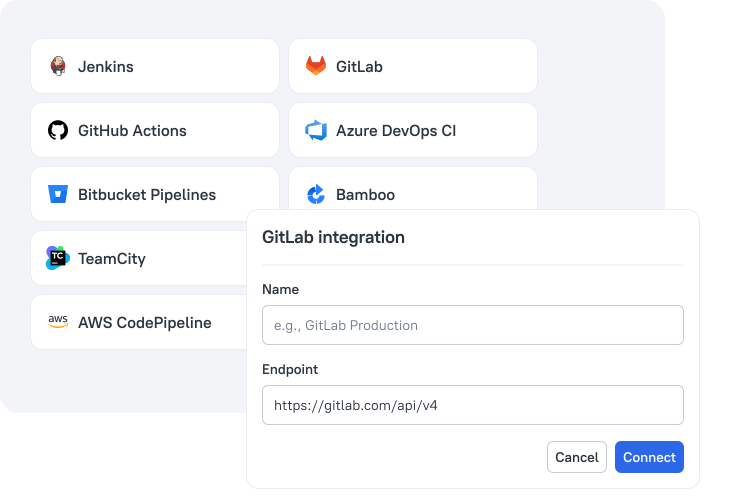
Connect your CI in a few simple steps
Built-in integrations and a small change to your test command make it easy to add reporting to your existing CI. Your CI runs the tests, and Allure TestOps collects the results in real time. Links back to the source pipelines let you open the job logs when you need more context.
- 1
gradle clean testRun tests in CI
Keep your existing test command and runners.
- 2
allurectl watch -- gradle clean testUpload test results
Add allurectl to upload results as tests finish.
- 3#92107 Test Run435573
Review results
Open your test run before the pipeline finishes.
Framework integrations
Keep your existing test frameworks
Your test suite can include Frontend tests in Vitest, E2E tests in Playwright, and API tests in pytest. Allure TestOps brings their results into a common format. You can review results from different frameworks in the same way, without switching between separate reports. Your languages and testing tools can stay different while the reporting workflow stays consistent.

- GitHub stars
- 5.5k+GitHub stars
- Downloads
- 10M+Downloads
- Contributors
- 100+Contributors
- First commit
- 2013First commit
Built on years of open-source work
Our team maintains the framework integrations alongside a community of contributors.
These same integrations connect your automated tests to Allure TestOps.
Failure investigation
Start with a failed test. Follow the evidence.
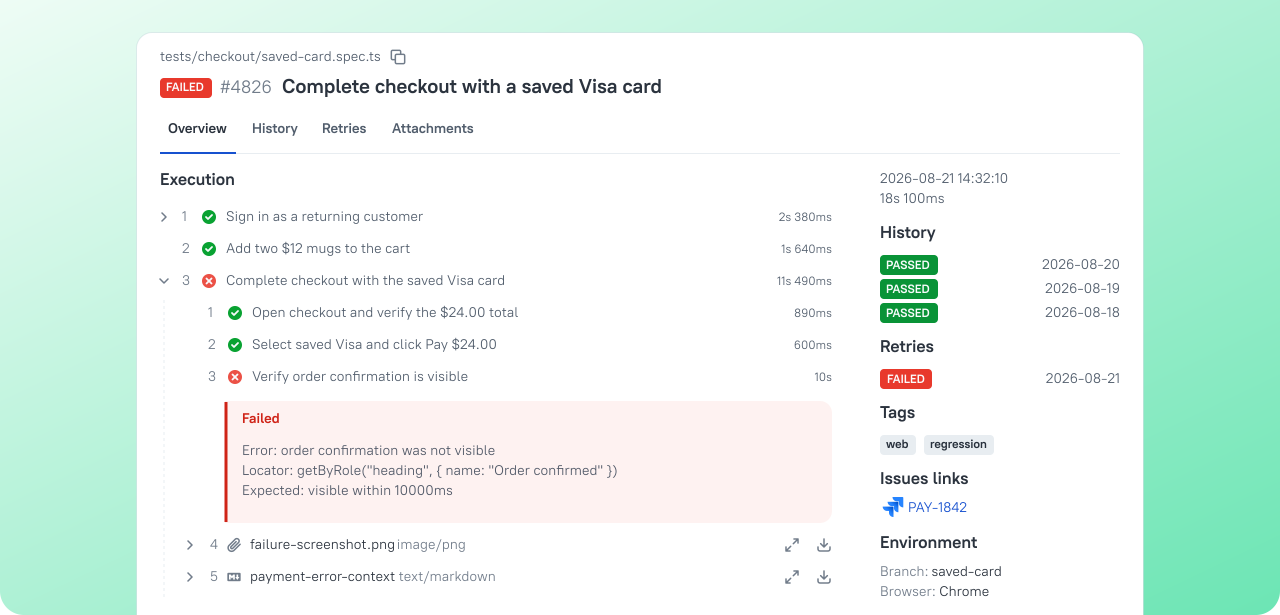
Open a failed test to see the steps, stack trace, and attachments recorded by your tests. Expand a failed step to inspect its nested steps, then open a screenshot or trace for more detail. Recent test history and linked issues help you check whether someone has investigated this failure before.
Failure triage
Turn failed tests into action
A test run gives you a list of failures. Failure triage turns that list into concrete next steps for your team. You can act directly from the results, keeping each action connected to the failure that prompted it.
Identify flaky tests
Flaky tests are detected automatically and marked in your test results.
Mute tests
Muted tests stay visible but no longer affect the overall status shown in the report.
Rerun selected tests
Run selected tests again through CI. Retries appear in the same test run.
Match known failures
Save a known issue and an error pattern. New matches link to it automatically.
Test Run Compare
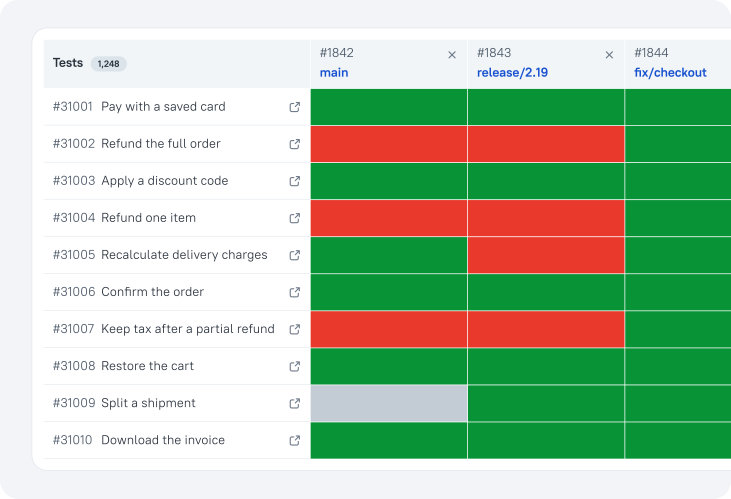
Compare results across environments
A test can pass in one environment and fail in another. View test runs side by side to spot the difference without searching through separate reports. If a test fails in several environments, inspect its steps and errors to see whether it failed in the same way.
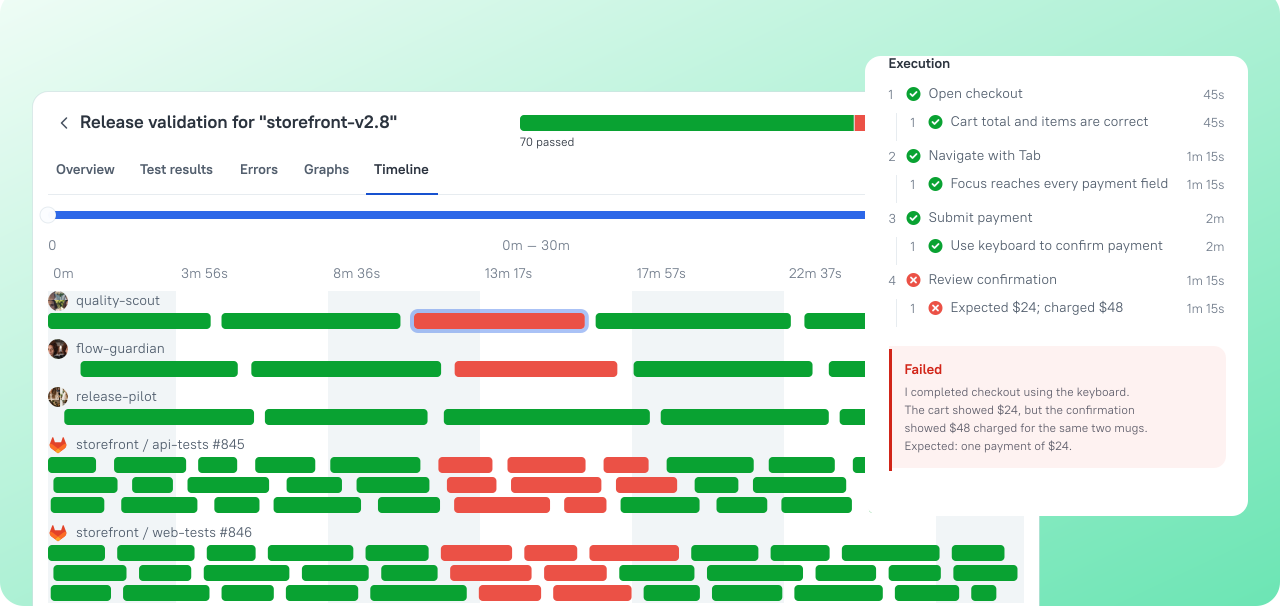
Execution timeline
Automated and Manual tests on one timeline
Frontend, E2E, API, and Manual tests can all contribute to the same test run. See them together on one timeline, with each test's timing and status visible. You can review automated and manual work as a whole, then open any result for a closer look.
Try it with a real pipeline
Start an Allure TestOps trial and connect one pipeline. Use a real test run to see whether your team can investigate failures with less searching.